

How Much Does IT Support Cost in Orlando?
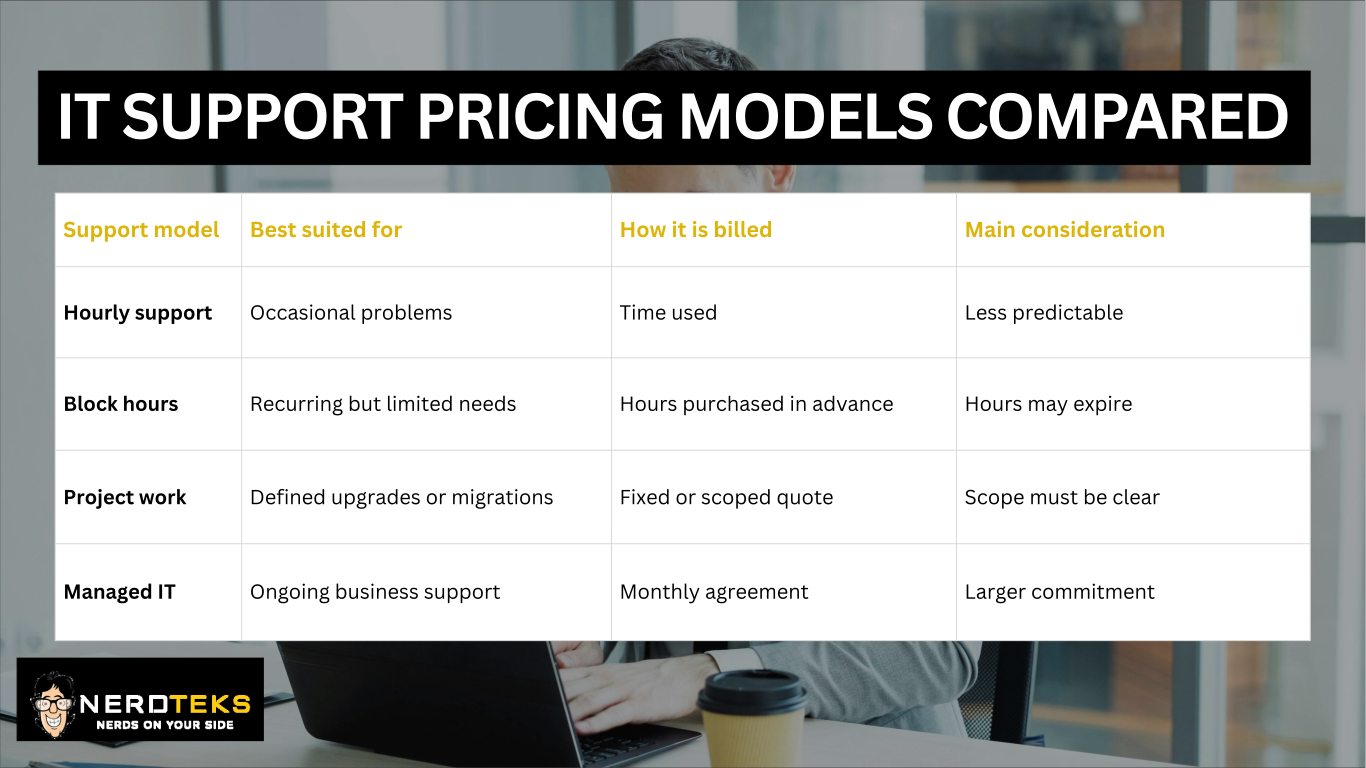
IT support in Orlando is commonly billed hourly, through prepaid support blocks, as a fixed project, or through a monthly managed IT agreement.
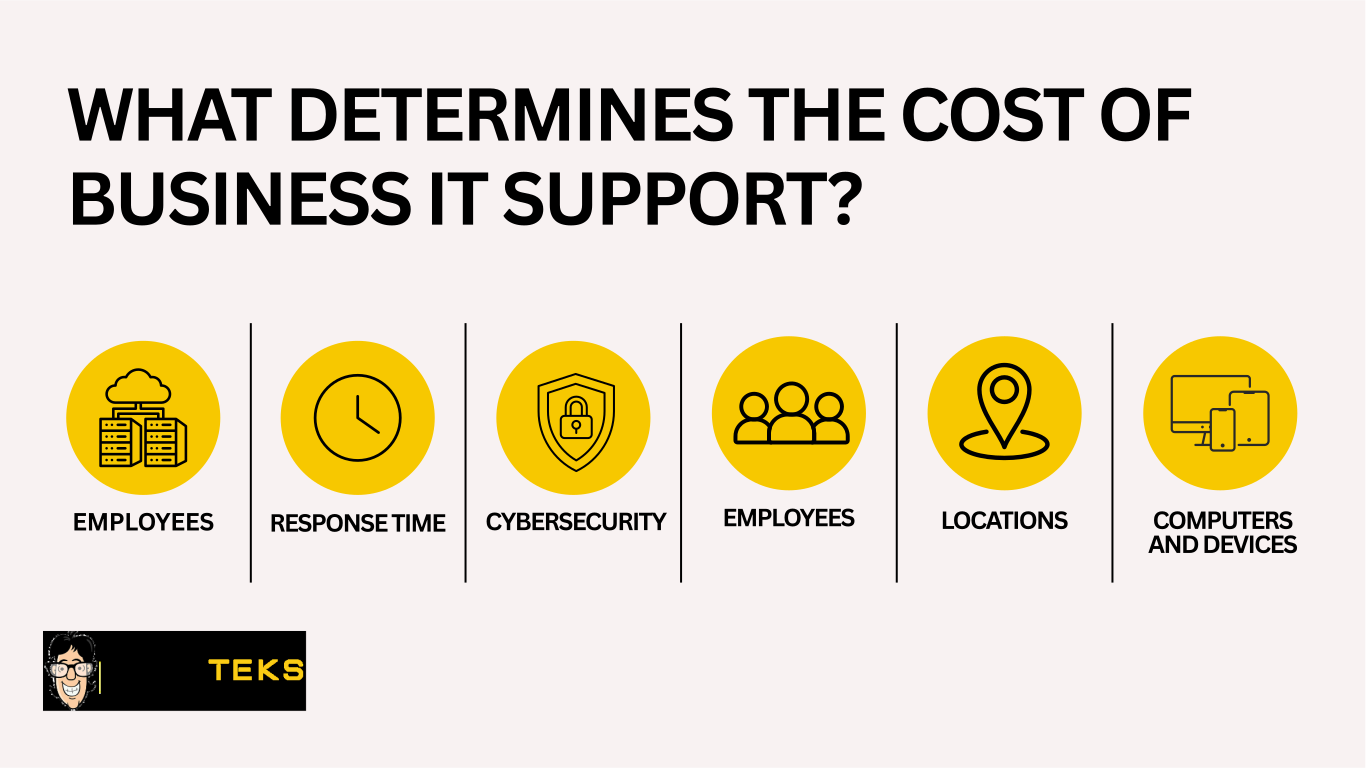
The right option depends on more than the provider’s hourly rate. Your cost will also be affected by the number of employees and devices you have, the condition of your technology, your cybersecurity requirements, and how quickly you need help when something goes wrong. For most small businesses, the better question is:
– What level of IT support will reduce downtime, protect the business, and give employees a dependable place to turn when technology stops working?
This guide explains the most common IT pricing models, what affects the cost, and when ongoing managed IT services may make more sense than calling for help only after a problem occurs.
Common IT Support Pricing Models
Orlando businesses usually pay for IT support using one of four models.
Hourly or Break-Fix IT Support
With hourly support, the business contacts an IT provider when a specific problem occurs.
Common examples include:
- A computer that will not start
- A network or internet outage
- A Microsoft 365 or email issue
- A printer or scanner problem
- A suspicious email
- A server or backup concern
Hourly support can work well for very small businesses with limited technology needs and few support requests. The downside is unpredictability. Costs vary based on how often problems happen, how difficult they are to diagnose, and whether emergency or after-hours service is required. Problems are also usually addressed only after they have already interrupted work.
Prepaid or Block-Hour Support
With block-hour support, a business purchases a set number of IT service hours in advance.
This can be a practical option for companies that need occasional assistance but want to work with a provider that already understands their systems.
Block hours may be used for:
- New-user setup
- Wi-Fi improvements
- Network cleanup
- Microsoft 365 administration
- Office moves
- Technology documentation
- Employee device setup
- Ongoing troubleshooting
Businesses should ask whether unused hours expire, which services are included, and whether urgent requests receive priority.
Project-Based IT Services
Project work is usually priced according to a defined scope rather than an open-ended support request.
Common IT projects include:
- Office relocations
- Network upgrades
- Firewall installations
- Server replacement
- Microsoft 365 migrations
- Cloud file migrations
- Backup implementation
- Cybersecurity improvements
A project quote should explain what is included, what the business must provide, and what circumstances could change the final cost.
Managed IT Services
Managed IT services are typically provided through a recurring monthly agreement.
Instead of waiting for something to fail, the provider helps maintain, monitor, secure, and support the business’s technology on an ongoing basis.
A managed IT plan may include:
- Help desk support
- Device monitoring
- Patch management
- Endpoint security
- Microsoft 365 administration
- Backup monitoring
- Vendor coordination
- Technology documentation
- Strategic planning
For growing Orlando businesses, managed IT services can make support costs more predictable and reduce the chance that preventable problems become expensive outages.
Estimate Your Monthly IT Costs
Not sure which support plan fits your business? Use the Nerd Teks Managed IT and Cybersecurity Pricing Calculator to estimate monthly costs based on your users, servers, Microsoft 365 environment, network locations, backups, and cybersecurity needs.
The calculator provides a starting estimate. Final pricing may vary based on licensing, storage, remediation, onboarding, and after-hours requirements.
What Changes the Cost of IT Support?
Several factors determine what an Orlando business will pay for IT support.
How to Estimate Your IT Support Needs
Before requesting a proposal, document the basic size and complexity of your environment.
Consider:
- Number of employees
- Number of computers and mobile devices
- Number of business locations
- Remote employees
- Microsoft 365 or Google Workspace usage
- Servers and business applications
- Backup systems
- Cybersecurity requirements
- Typical monthly support requests
- Required response time
This information helps an IT provider recommend an appropriate support model instead of guessing based on company size alone.
Get IT Support Built Around Your Orlando Business
Nerd Teks helps Orlando-area businesses with everyday IT support, managed IT services, cybersecurity, Microsoft 365, backups, cloud systems, and network infrastructure.
Whether you need help resolving an immediate problem or want a more proactive support plan, the first step is understanding your current environment, risks, and priorities.
Need dependable business IT support in Orlando?
Visit our Orlando IT Support page to request a consultation.
IT Support Service Areas
Latest Insights






Latest Posts