
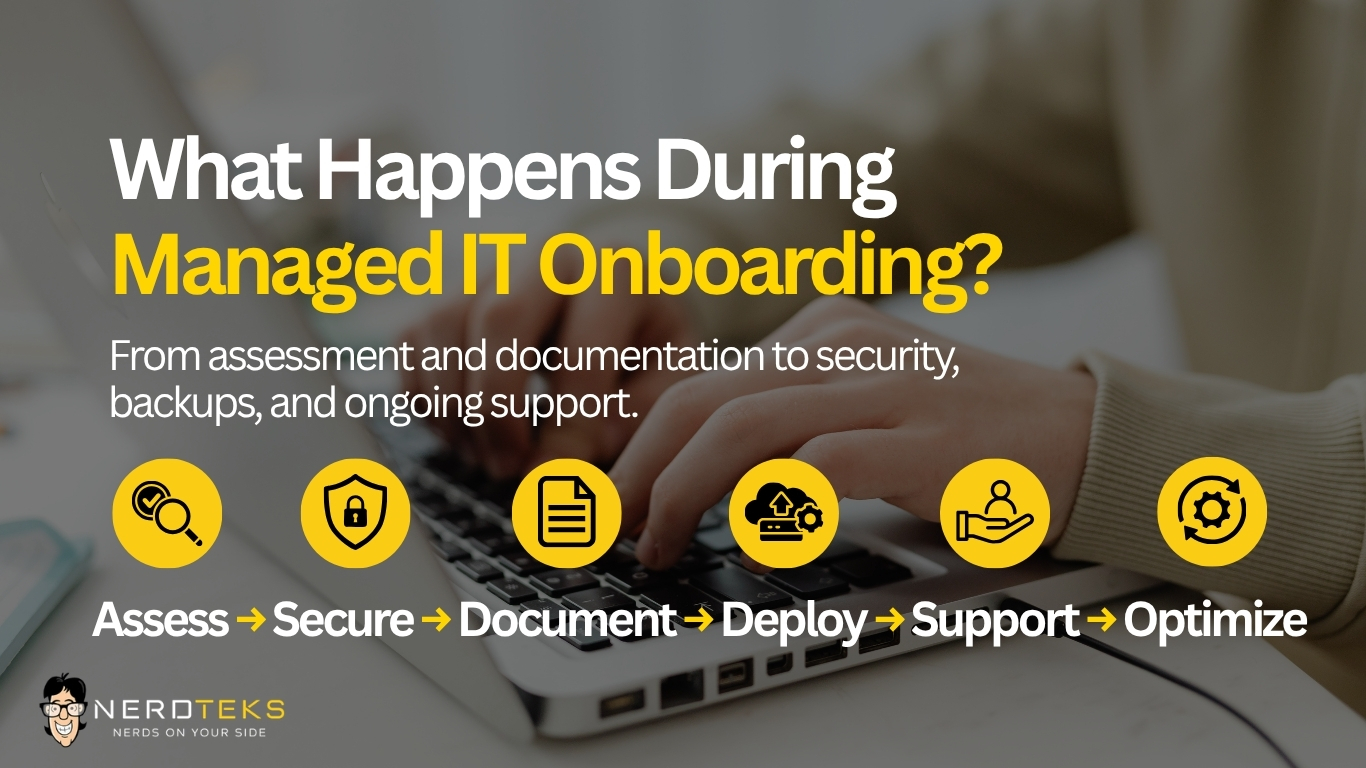
What Happens During Managed IT Onboarding?
A practical guide to assessment, documentation, Microsoft 365, cybersecurity, backups, employee support, and the first 30 days with a new IT provider.
Moving to managed IT services is more than installing monitoring software on a few computers and giving employees a new help desk number.
A good onboarding process gives the IT provider time to understand how the business actually operates, document the technology environment, secure administrative access, verify backups, identify immediate risks, and establish a clear support process for employees. For businesses switching IT providers, onboarding is also the point where responsibility begins moving from the former provider to the new one. That makes careful planning especially important.
The goal is simple: by the end of onboarding, your business should have a clearer picture of its technology, stronger ownership of critical systems, and a defined process for getting help when something goes wrong.
Here is what businesses should expect during a structured managed IT onboarding process.
Why Managed IT Onboarding Matters
Many businesses accumulate technology gradually.
A few computers become twenty. Microsoft 365 grows from basic email into Teams, SharePoint, OneDrive, and dozens of user accounts. Wi-Fi expands. New software vendors are added. Someone installs a new printer. Another employee creates an administrator account. A backup platform gets configured years ago and nobody remembers who manages it.
Eventually, the environment works but nobody has a complete picture of how everything fits together. Managed IT onboarding is an opportunity to change that.
Instead of immediately treating every existing configuration as correct, the provider should first understand what is there, how the business uses it, and which areas need attention. That helps reduce surprises later.
1. Assess the Existing Technology Environment
The first step is understanding what the business currently has. That assessment may include employee devices, servers, Microsoft 365, network equipment, firewalls, wireless access points, cloud services, business applications, backups, security tools, remote-access systems, and technology vendors.
The provider should also learn how employees work. Questions may include:
- Which systems are critical to daily operations?
- Are employees working remotely?
- Are there multiple locations?
- Which applications cannot go offline?
- Are there recurring technology problems?
- Does the business handle sensitive or regulated information?
- Are major projects already planned?
This is important because two businesses with the same number of employees may have completely different IT requirements.
A ten-person cloud-based office may be relatively simple. A ten-person company with an onsite server, specialized applications, remote employees, multiple vendors, and compliance requirements can be considerably more complex. The assessment creates the baseline for everything that follows.
2. Confirm Ownership and Administrative Access
Before a managed IT provider can properly support an environment, it needs to understand who controls the critical accounts and systems. That may include access to:
- Microsoft 365
- Domain registration and DNS
- Firewalls
- Internet-provider accounts
- Servers
- Backup platforms
- Cloud applications
- Security software
- Network equipment
- Website hosting
- Phone systems
- Business software portals
The business should ultimately retain control of its own technology accounts. An outside IT provider may administer those systems, but critical access should not depend entirely on one technician’s personal account or credentials the business cannot recover.
During onboarding, administrative roles should be reviewed, unnecessary access should be removed, and multi-factor authentication should be enabled where appropriate. If the business is changing IT providers, this is also when old provider access should be identified so it can be removed carefully after the transition is complete.
3. Review Microsoft 365
For many businesses, Microsoft 365 is one of the most important parts of the technology environment. During onboarding, the new IT provider should review how it is configured, who has access, and whether licensing and security settings still match the way the business operates. That review may include:
- Users and licenses
- Mailboxes and shared mailboxes
- Administrator roles
- Multi-factor authentication
- Email security
- Teams, SharePoint, and OneDrive
- External and guest access
This is also a good time to identify former employees who still have active accounts, unnecessary licenses, excessive administrator access, forwarding rules that may have been forgotten, or inconsistent onboarding and offboarding practices.
Microsoft 365 may be cloud-based, but it still requires active management. A cleaner environment can improve security, reduce unnecessary costs, and make future employee changes easier to manage.
4. Verify Backups and Recovery
Backups should be reviewed early in the onboarding process.
The provider needs to understand what is being protected, how often backups run, where copies are stored, who manages them, and most importantly, how recovery would actually work after an incident. Depending on the organization, that could include servers, Microsoft 365, databases, business files, cloud applications, critical workstations, or specialized systems.
A backup showing a green checkmark does not necessarily mean the business has a complete recovery strategy.
The more important question is:
Can the data and systems your business depends on actually be restored when needed?
Onboarding is an ideal time to uncover failed jobs, retention gaps, missing systems, or unclear recovery procedures before an outage, hardware failure, or cyber incident exposes them. Nerd Teks also provides business backup and disaster recovery solutions for businesses that need stronger continuity planning.
5. Document the Network and Systems
Documentation is one of the most valuable outcomes of Managed IT onboarding. Without it, every future support request can take longer because the technician first has to rediscover how the environment works.
Good IT documentation may include things such as:
Network diagrams may also be created or updated when appropriate. The value goes beyond troubleshooting. Good documentation reduces dependence on one person’s memory and makes future upgrades, office moves, security reviews, and provider transitions much easier.
6. Review Cybersecurity Controls
Managed IT onboarding should also include a review of the security controls already in place.
That does not mean every company needs the same cybersecurity stack. The appropriate level of protection depends on the organization’s industry, data, risk profile, cyber-insurance requirements, and technology environment.
During onboarding, the provider may review areas such as multi-factor authentication, endpoint protection, email security, administrator access, software updates, firewall configuration, remote access, DNS filtering, backups, and security monitoring. If weaknesses are found, they should not simply be dumped into a long technical report. The business should understand:
What needs attention now?
What creates the most risk?
What can reasonably be improved over time?
Organizations in industries such as legal, healthcare, and financial services may also need stronger documentation and controls to support regulatory, contractual, or cyber-insurance responsibilities. Learn more about Nerd Teks’ Cybersecurity Services.
7. Deploy Monitoring and Support Tools
Once the environment has been assessed, the provider can begin deploying the tools included in the Managed IT plan. Depending on the service level, this may include:
- Remote monitoring and management
- Remote support software
- Endpoint protection
- Backup monitoring
- Patch management
- Network monitoring
- Additional security tools
The purpose of these tools is not simply to give the IT company remote access. They create ongoing visibility into the environment so potential problems can be identified earlier and technicians have better information when troubleshooting.
If the business is switching providers, old monitoring or remote-access software should also be reviewed before removal. Replacing tools in the right order helps avoid unnecessary gaps in monitoring, backups, or security protection.
8. Give Employees One Clear Support Path
One of the simplest but most important parts of onboarding is making sure employees know exactly where to go when they need help. That may be a support email address, phone number, help desk portal, or remote-support application.
Employees should know:
- How to request routine support
- How urgent problems are handled
- When support will be remote versus onsite
- What to do when another technology vendor is involved
A managed IT provider should reduce confusion, not introduce another layer of it. Pasted markdown Nerd Teks provides remote and onsite business IT support for computers, Microsoft 365, networks, Wi-Fi, servers, printers, users, and other day-to-day technology issues.
One Clear Point of Contact for Technology Vendors
Technology problems often involve more than one provider. An internet outage can affect the firewall. A phone provider may blame the network. A copier can stop scanning after a Microsoft 365 security change. A software vendor may insist that the workstation is the problem.
Employees should not have to spend hours determining which company is responsible. A managed IT provider can help troubleshoot the environment, communicate technical information to the appropriate vendor, and coordinate the next steps.
Less finger-pointing. Faster troubleshooting. Clearer ownership.
9. Stabilize Immediate Problems
Onboarding often uncovers problems that existed long before the new IT provider arrived. Some are relatively minor. Others need to be addressed quickly.
Common findings can include failed backups, unsupported software, aging equipment, missing MFA, unused accounts, outdated network hardware, poor Wi-Fi coverage, licensing inconsistencies, incomplete documentation, or security gaps.
A good provider should help separate those findings into three groups:
Immediate Risks
Issues that create significant security, continuity, or operational concerns and should be addressed quickly.
Operational Problems
Issues already causing downtime, employee frustration, or recurring support problems.
Longer-Term Improvements
Projects or upgrades that can be planned and budgeted instead of treated as emergencies.
That keeps onboarding practical and prevents the process from turning into an unexpected shopping spree.
10. Separate Managed Work From Project Work
Another important part of onboarding is understanding what is included in the monthly Managed IT service and what may require separate project pricing.
Routine managed work may include day-to-day troubleshooting, monitoring, maintenance, user changes, Microsoft 365 administration within scope, ticket follow-up, and health reviews for included systems. Larger projects may be handled separately, including:
- Office moves
- Major cloud migrations
- Server replacements
- New infrastructure
- Data cabling
- Large deployments
- Specialized cybersecurity projects
- Major remediation
- Breach-response or forensic work
The exact boundaries should be defined in the client’s service agreement. This is why understanding scope before signing a Managed IT agreement is so important.
11. Review the First 30 Days
Eventually, onboarding should transition from discovery into normal IT operations.
By the end of the initial onboarding period, the provider should have a much clearer understanding of the business environment including its technology risks, recurring employee issues, backup status, cybersecurity priorities, network condition, aging equipment, Microsoft 365 configuration, vendor dependencies, and upcoming projects.
The business should also receive some clarity about what happens next.
A useful first-month review should answer:
What did we find?
What did we fix?
What still needs attention?
What should we plan for next?
The first month should result in a prioritized technology plan, not simply a collection of completed support tickets. That plan can guide future budgeting, cybersecurity improvements, equipment replacement, and larger IT projects.
From Onboarding to Ongoing IT Management
Onboarding is only the beginning. Nerd Teks approaches Managed IT through a broader process:

The assessment establishes what is in the environment and identifies immediate concerns. Stabilization addresses existing problems and creates a stronger foundation. From there, monitoring provides ongoing visibility into the technology environment, while support gives employees a clear place to turn when something goes wrong.
Optimization is the longer-term piece—improving security, reliability, performance, and scalability as the business changes. That is the difference between simply reacting to technology problems and actually managing the environment over time.
How Long Does Managed IT Onboarding Take?
There is no universal onboarding timeline. A small cloud-based company may be relatively straightforward, while a multi-location organization with servers, legacy applications, complicated networks, and several vendors may require more discovery and coordination.
Several factors can affect the timeline:
- Number of users and devices
- Quality of existing documentation
- Availability of administrator credentials
- Server and network complexity
- Microsoft 365 configuration
- Backup systems
- Existing cybersecurity concerns
- Cooperation from the previous IT provider
The objective should not be to rush the onboarding process. The objective is to create a reliable foundation without unnecessarily disrupting the business.
What Should Your Business Have After Onboarding?
Once onboarding is substantially complete, the business should have considerably more clarity around its technology. Employees should know where to go for support. Management should understand who is responsible for critical systems, what is being monitored, how backups are handled, and which risks still need attention.
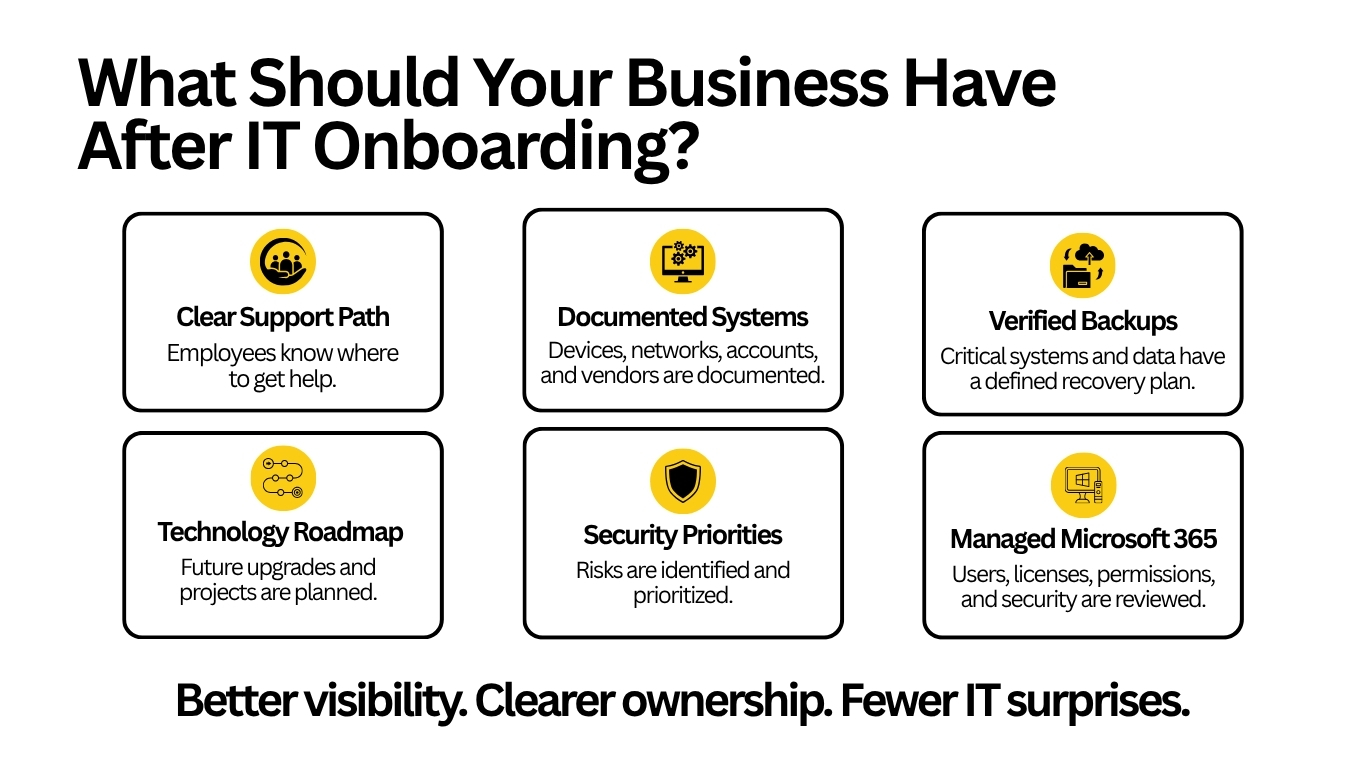
There should also be better documentation and a clearer understanding of future technology priorities. Managed IT should replace uncertainty with ownership.
Latest Insights






Latest Posts