
How Palm Beach County Businesses Can Prepare Their IT for Hurricanes
A practical guide to protecting business data, networks, cloud systems, and employees before severe weather causes an outage.
For businesses in Palm Beach County, hurricane preparation is about more than shutters, insurance, and emergency supplies. Technology also needs a plan.
A severe storm can cause power failures, internet outages, inaccessible offices, damaged equipment, and disruptions to the cloud systems employees use every day. Even when a building is not directly damaged, a business may struggle to operate if employees cannot access email, shared files, phones, applications, or customer information.
That is why business IT hurricane preparedness should be part of every organization’s continuity plan. The goal is not to predict exactly what a storm will do. It is to understand which systems your business depends on, what could fail, and how employees will continue working if normal operations are disrupted.
Know Which Systems Your Business Cannot Operate Without
Every business has technology it can temporarily live without and technology that needs to be restored quickly. Before hurricane season, identify the systems that are essential to daily operations.
For many Palm Beach County businesses, that may include:
- Microsoft 365 and business email
- Internet and Wi-Fi
- Shared files and cloud storage
- Business applications and databases
- Servers
- VoIP phone systems
- Remote access
- Payment or customer-management systems
A law firm may depend heavily on access to case files and email. A healthcare office may need secure access to scheduling and clinical systems. A construction or engineering firm may rely on project files, cloud applications, and remote collaboration. Knowing what matters most helps determine what should be protected first and what needs to be restored first after an outage.
Verify Your Backups Before a Storm
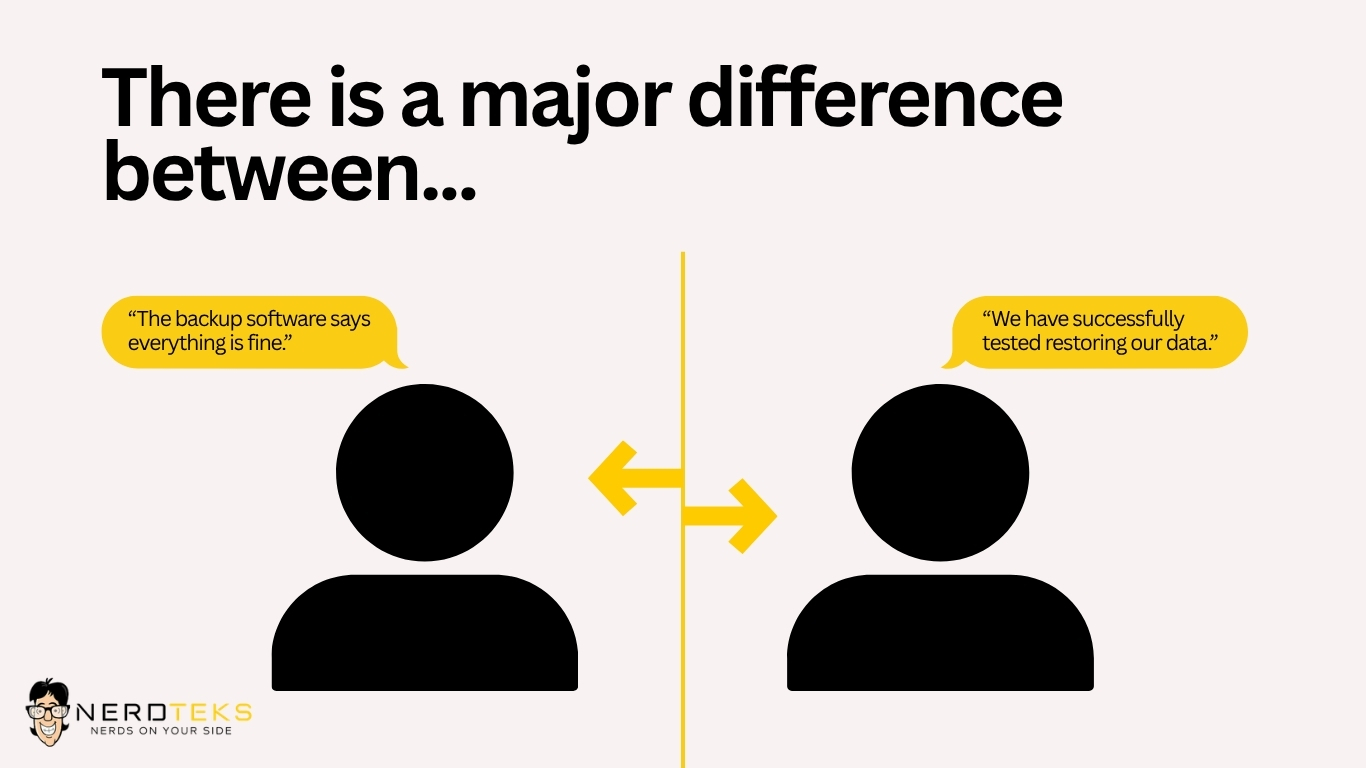
A backup should never be something a business simply assumes is working. Before severe weather approaches, confirm what is being backed up, where copies are stored, how often backups run, and whether data can actually be restored. Businesses with onsite servers should also consider what happens if the office becomes inaccessible.
A backup stored only inside the same building as the original data may not provide enough protection from flooding, equipment damage, theft, or an extended power outage. A stronger backup strategy may include a combination of local and offsite or cloud-based protection. Just as important, backups should be monitored and periodically tested.
Nerd Teks provides business backup and disaster recovery solutions for organizations that need a clearer recovery strategy.
Plan for Internet Outages
For many modern businesses, losing internet connectivity can effectively shut down the office. Employees may lose access to:
If your business cannot operate without internet access, a secondary connection may be worth considering. This could include another internet service provider, a cellular or 5G backup connection, or a firewall capable of automatically switching to a secondary connection when the primary service fails. Not every small business needs redundant internet. The decision depends on how much an outage would affect employees, customers, and revenue.
A useful question is:
How much would one full business day without internet cost us?
If the answer is significant, internet redundancy deserves a place in the IT budget.
Protect Servers and Network Equipment From Power Problems
Power interruptions can affect more than employee computers. Critical network equipment may include:
- Firewalls
- Network switches
- Wireless access points
- Servers
- Storage devices
- Internet equipment
- VoIP systems
Battery backup systems, commonly called UPS units, can help keep critical equipment running through brief interruptions or allow systems to shut down safely during a longer outage. A UPS is not usually intended to operate an entire office indefinitely. Its purpose is to provide enough time for essential equipment to remain stable or shut down correctly.
Businesses should periodically inspect battery-backup systems and replace aging batteries rather than discovering during a storm that the UPS has become an expensive power strip.
Make Sure Employees Can Work Remotely
If employees cannot safely reach the office, your business may need to operate remotely for several days. Before that happens, verify that employees who need remote access can securely reach the systems required for their jobs.
This may include Microsoft 365, Teams, SharePoint, OneDrive, cloud applications, company files, VPN access, or other business platforms. Employees should also know which devices they are authorized to use and how to request help if they experience problems while working remotely.
Emergency situations should not become an excuse to weaken cybersecurity. Avoid workarounds such as:
- Sharing passwords between employees
- Forwarding company files to personal email
- Disabling multi-factor authentication
- Using unauthorized cloud-storage accounts
- Allowing unrestricted remote access
Remote work should remain secure even when the circumstances are unusual. Nerd Teks provides business IT support for companies that need help with Microsoft 365, remote access, networks, computers, servers, and other day-to-day technology.
Review Cybersecurity Before Severe Weather
Cybercriminals do not take hurricane days off. In fact, emergencies can create opportunities for phishing, impersonation, and social-engineering attacks because employees are expecting unusual messages about closures, remote work, payroll, insurance, deliveries, or emergency procedures.
Businesses should continue using normal security controls during severe weather, including:
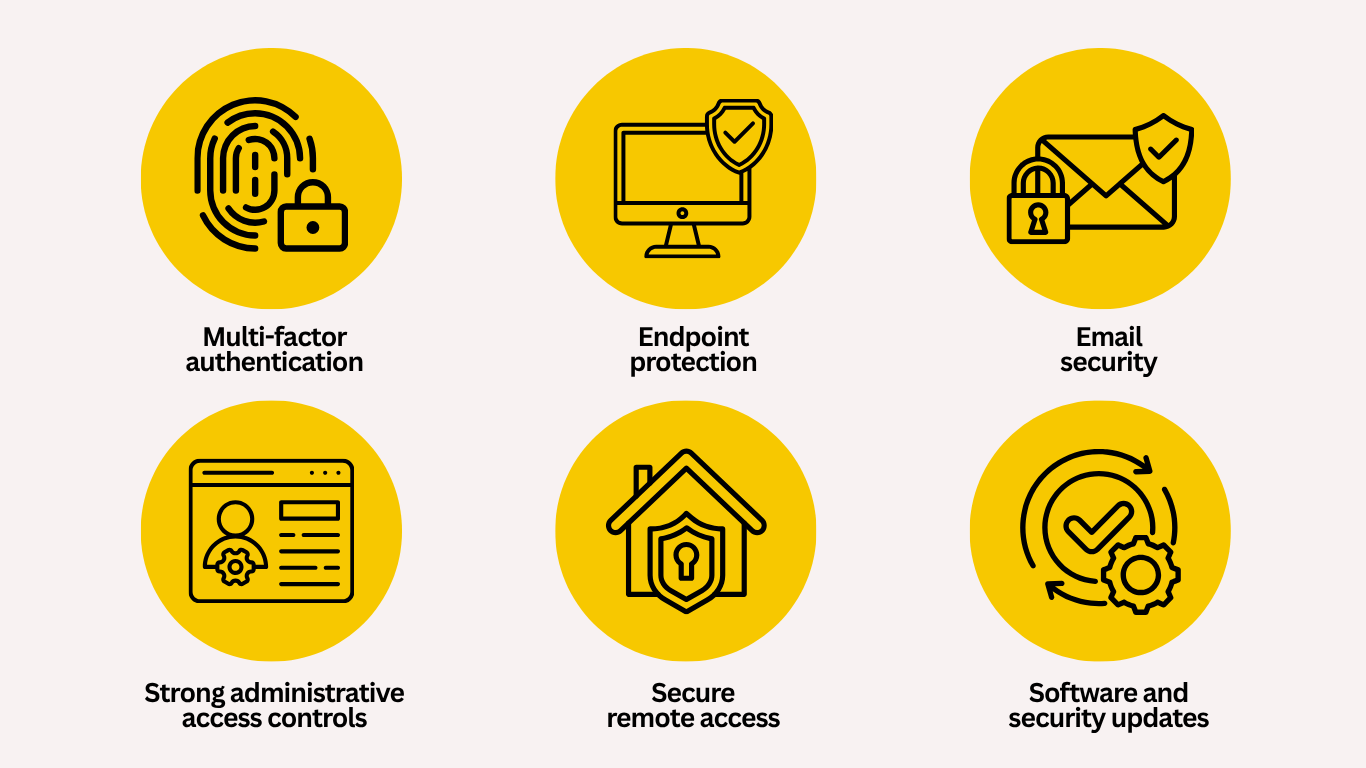
Employees should also be cautious with unexpected storm-related emails asking them to click a link, download a document, reset a password, or provide account information. Learn more about Nerd Teks’ cybersecurity services.
Document Your Technology Vendors and Emergency Contacts
When systems stop working, employees should not have to figure out who manages what. Document the contact information for important technology providers before an outage.
That may include your:
- IT support company
- Internet provider
- Phone provider
- Microsoft 365 administrator
- Software vendors
- Copier and printer company
- Backup provider
- Website or hosting provider
- Building management
The business should also know who has authority to approve emergency repairs, equipment purchases, account changes, or temporary workarounds. Clear ownership can save significant time when several vendors are involved in the same problem.
If the internet provider says the issue is the firewall and the firewall vendor says the problem is the ISP, somebody needs to own the troubleshooting process rather than turning the business into the referee.
Keep Critical IT Information Documented
Businesses should not depend on one employee or technician remembering how everything works. Basic IT documentation can include:
- Important administrator accounts
- Internet and vendor account information
- Network equipment
- Servers and critical applications
- Backup systems
- Emergency contacts
- Remote-access procedures
- Technology priorities
Passwords and sensitive credentials should be stored securely rather than placed in an ordinary spreadsheet or printed binder. The purpose of documentation is not to expose access information. It is to make sure authorized people can find what they need when the usual person is unavailable.
Test the Plan Before You Need It
A continuity plan can look excellent on paper and still fail in real life. Test a few realistic scenarios.




These exercises do not need to become elaborate disaster simulations. Even a short review can expose missing passwords, outdated contact information, failed backups, or systems nobody realized were essential.
Do Not Wait Until a Storm Is Approaching to Make Major IT Changes
When a hurricane is already several days away, vendors become busy, equipment becomes harder to obtain, and businesses begin competing for the same emergency resources. Technology planning is more effective when it happens before the forecast becomes urgent.
Businesses should periodically review:
- Aging computers and servers
- Firewall and network equipment
- Backup capacity
- UPS battery health
- Remote-access systems
- Internet redundancy
- Microsoft 365 security
- Vendor documentation
If equipment needs replacement or a secondary internet connection needs installation, completing that work ahead of hurricane season provides much more flexibility.
IT Support for Palm Beach County Businesses
Nerd Teks provides remote and onsite IT support for small and growing businesses throughout Palm Beach County. Our team helps businesses with Microsoft 365, cybersecurity, backup and disaster recovery, servers, business networks, Wi-Fi, remote access, data cabling, and ongoing technology management.
We serve businesses throughout areas including West Palm Beach, Royal Palm Beach, Palm Beach Gardens, Jupiter, Wellington, Greenacres, Lake Worth Beach, Boynton Beach, Boca Raton, Riviera Beach, and surrounding Palm Beach County communities.
Businesses that need ongoing monitoring, cybersecurity, backups, employee support, and technology planning can also explore our managed IT services. For companies that need help with a specific problem, Nerd Teks also provides responsive business IT support.
Is Your Business Ready for an Extended IT Outage?
You do not need to know exactly where the next storm will make landfall to prepare your technology. You do need to know:
Who does your team call when something fails?
Is your data recoverable?
What happens if the internet goes down?
What systems are critical?
A good IT continuity plan helps answer those questions before an emergency. Nerd Teks helps Palm Beach County businesses review their networks, backups, cybersecurity, Microsoft 365 environment, remote access, and other critical technology so there is a clearer plan when normal operations are interrupted.
Need help reviewing your business technology before the next major outage?
Latest Insights






Latest Posts