
Your Backup Ran, But Can You Restore? A Business Backup & Recovery Checklist
Your backup software says everything completed successfully. That’s reassuring, but here’s an important question: Could your business actually recover its data and systems if something went wrong?
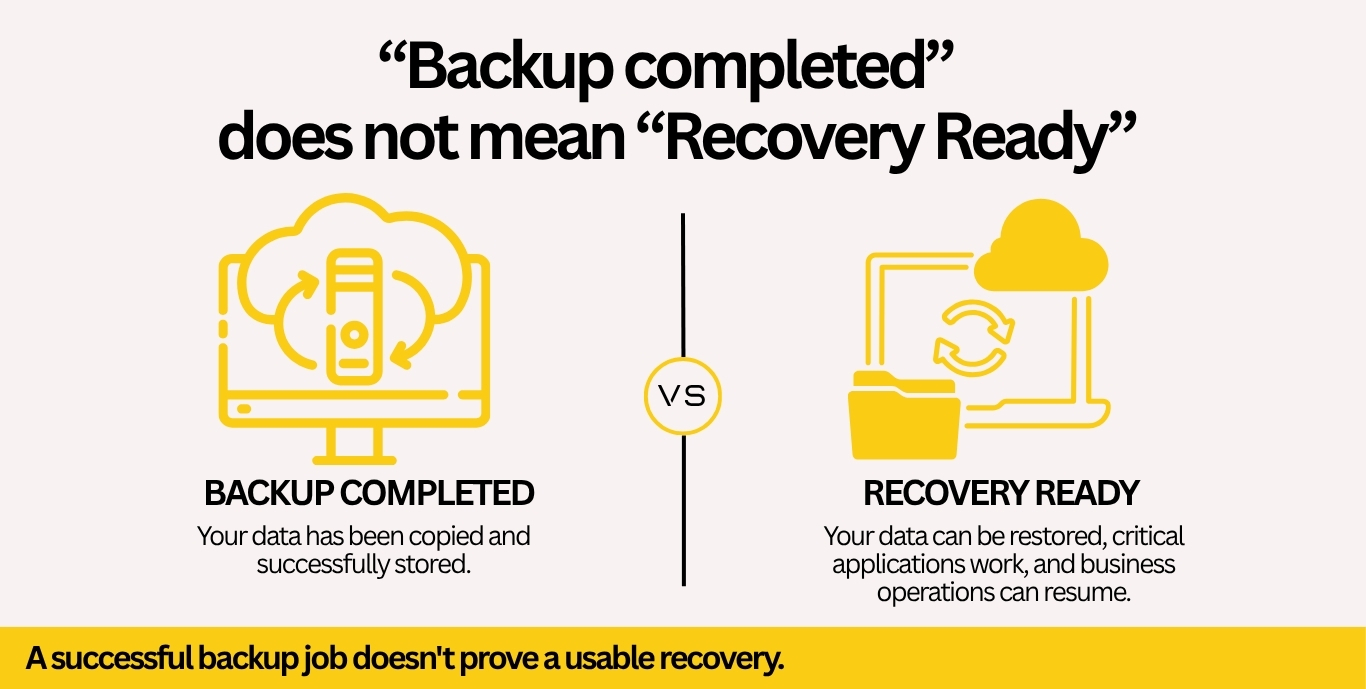
A successful backup doesn’t always mean a successful recovery.
From accidental file deletion and server failures to ransomware and unexpected outages, businesses rely on their backups to restore critical information and minimize disruption. Yet without proper testing and a documented recovery plan, even an automated backup system can leave important questions unanswered.
Understanding the difference between data backup and disaster recovery is an important step toward keeping your business running.
Why Business Backup and Recovery Testing Matters
Many businesses rely on automated backups to protect important files, applications, servers, and cloud data. While automation makes data protection easier, a completed backup job doesn’t necessarily verify that every system was protected or that the information can be restored when needed.
For example, a business may have backups of its shared files but discover that a critical database or application wasn’t included. Others may have backup copies available but no documented process for restoring operations.
That’s why a comprehensive business backup and disaster recovery solution should include recovery planning, backup monitoring, secure storage, and periodic restoration testing. The objective isn’t simply to create backup copies. It’s to make sure your business is prepared to recover.
Business Backup & Recovery Checklist: 6 Essential Questions
1. Are You Backing Up All Critical Business Data?
Start by identifying the information and systems your business depends on every day. This may include financial records, client files, servers, databases, business applications, and Microsoft 365 data stored in Exchange Online, SharePoint, or OneDrive.
Don’t assume that storing information in the cloud automatically provides the backup coverage or retention your business requires. Your cloud services and backup strategy should account for the specific platforms and applications your team uses.
2. When Was Your Last Usable Backup?
Knowing that backups run daily isn’t enough. You should also know when the last usable recovery point was created. If your business lost access to its systems today, how much recent work could you afford to lose?
This is known as your Recovery Point Objective (RPO)—the maximum acceptable amount of data loss measured in time. Your backup schedule should reflect the needs of your business, not simply the default settings of the software.
3. Are Your Backup Copies Protected?
Backup files can also be exposed to cyberattacks, unauthorized access, and accidental deletion. A strong backup strategy considers encryption, restricted access, retention policies, and appropriately isolated or immutable backup copies.
Combining secure backups with a broader business cybersecurity strategy helps reduce the risk of an incident affecting both your production systems and your recovery data.
4. When Did You Last Test a Restore?
A successful backup notification doesn’t prove you can restore your data.
Restoration testing helps verify that backup copies are usable, important files are recoverable, and recovery procedures work as intended.
Tests should be planned with your IT provider in a controlled, approved environment so production data and live business systems aren’t accidentally overwritten. Document when testing occurred, what was restored, whether the test succeeded, and any issues that require attention.
5. How Much Downtime Can Your Business Tolerate?
Consider what would happen if employees couldn’t access critical systems for several hours or longer. Your Recovery Time Objective (RTO) is your target time for restoring a system or service after a disruption. Compare that target with actual restore-test results—not just estimates.
Different systems may require different recovery priorities. Email access, customer databases, accounting software, and shared files may not all have the same urgency. A well-designed recovery plan establishes realistic objectives and helps your team understand what to restore first.
For businesses that need ongoing system oversight, Managed IT Services can support backup monitoring, technology planning, and coordination of recovery procedures.
6. Who Is Responsible for Backup and Recovery?
Technology alone isn’t a complete recovery plan.
Someone should be responsible for reviewing backup alerts, investigating failures, maintaining documentation, coordinating restore tests, and knowing what to do when an incident occurs. Whether that responsibility belongs to an internal IT team or an outside provider, clear ownership helps prevent important tasks from being overlooked.
Keep recovery instructions and contact details available even when your normal systems are inaccessible.
Free Business Backup & Recovery Checklist
Not sure how prepared your business is for an unexpected disruption?
We’ve created a practical Business Backup & Recovery Worksheet to help you evaluate your current backup strategy. Use this printable checklist to:
- Review six essential areas of backup and recovery readiness.
- Mark each item Yes, No, or Unknown.
- Document supporting evidence and review dates.
- Assign a responsible person and identify the next action.
It’s a simple way to identify gaps and start a more productive conversation with your IT team.
Download the Free Business Backup & Recovery Checklist (PDF)Nerd_Teks_Business_Backup_Recovery_Worksheet
Protect Your Data. Prepare for Recovery.
A successful backup is a good starting point, but true business continuity requires knowing what can be restored, how recovery will work, and who’s responsible when something goes wrong. The CISA #StopRansomware Guide also recommends protecting critical backups and regularly testing their availability and integrity as part of disaster recovery planning.
Whether your business needs help reviewing existing backups, protecting Microsoft 365 data, or developing a recovery plan, our team can help you evaluate your options.
Need help reviewing your business backup and recovery plan? Contact Nerd Teks.
Latest Insights






Latest Posts