
5 IT Questions to Ask Before Setting Your 2027 Budget
Planning next year’s IT budget can quickly turn into a shopping list: computers, software, network equipment, cybersecurity tools, and support.
But a useful technology budget should start with a different question:
What does your business need technology to do better in 2027?
Maybe employees are losing time to recurring computer problems. Your company may be hiring, moving offices, adding applications, or relying more heavily on cloud services. You may also have unanswered questions about backups, cybersecurity, or equipment that is becoming harder to support.
Before renewing the same services or deciding what equipment to buy, use these five questions to identify priorities and build a more practical IT plan.
1. Which Computers Are Slowing Your Team Down?
A computer does not have to stop working completely to disrupt the workday. Slow startup times, frequent application crashes, storage problems, and difficulty handling everyday tasks can create small interruptions that add up over time.
At the same time, age alone does not automatically mean a computer needs to be replaced. Performance problems may be caused by software, storage, configuration, hardware issues, or the employee’s workload.
Before adding replacement computers to your 2027 budget, review existing equipment with your IT provider. Consider:
- Whether the device still supports the employee’s actual workload
- Its repair history and recurring problems
- Whether the operating system and important applications remain supported
- Warranty status and available replacement options
A computer used mainly for email and Microsoft 365 may have very different requirements from a workstation running design, engineering, accounting, or other resource-intensive applications.
Budget Next Step
Create a prioritized repair or replacement list. Include setup, data migration, software configuration, accessories, and responsible disposal, not just the purchase price of the computer itself.
2. What Recurring IT Problems Need a Lasting Fix?
Most businesses develop workarounds.
Someone reconnects to Wi-Fi before an important meeting. Employees restart an application several times a week. A printer works after the same troubleshooting steps. A shared folder loads slowly, but everyone has learned to live with it.
A workaround may keep work moving temporarily. When employees depend on it every week, however, the underlying problem deserves attention. Start by asking employees what repeatedly interrupts their work.
Then compare those observations with support records to identify patterns. Look at how often the problem happens, which employees are affected, and what business activity gets interrupted when it occurs. Not every recurring problem requires a major technology purchase.
The solution could be a configuration change, cabling repair, software update, employee training, targeted hardware replacement, or deeper technical investigation.
Budget Next Step
Give the most disruptive recurring issues an owner and an investigation plan before committing money to a solution.
Knowing why a problem keeps happening is more useful than simply budgeting for new equipment and hoping it goes away.
3. Do Your Software Licenses Still Fit Your Team?
Businesses change throughout the year. Employees join, leave, change roles, or begin using different tools. Meanwhile, software subscriptions can continue renewing with little attention.
Before building your 2027 budget, review which applications the business is paying for and who actually uses them.
Look for:
- Former employees who may still have licenses
- Plans with features nobody uses
- Overlapping applications that perform similar functions
- Upcoming renewal dates and contract terms
- Subscriptions with unclear ownership
- Applications tied to important integrations or business data
This should not become a simple license-cutting exercise. Removing an account or subscription without understanding its dependencies can create access problems, interrupt a workflow, or affect business information that still needs to be retained.
For example, changing Microsoft 365 licensing may affect email, Teams, SharePoint, OneDrive, security features, or other services employees rely on.
Budget Next Step
Create a renewal calendar and a reviewed list of business subscriptions.
The goal is to make sure you are paying for the right tools for the people who actually need them.
Before treating a license cancellation or downgrade as savings, confirm the impact with the appropriate administrator or IT provider. The goal is not necessarily to have fewer tools.
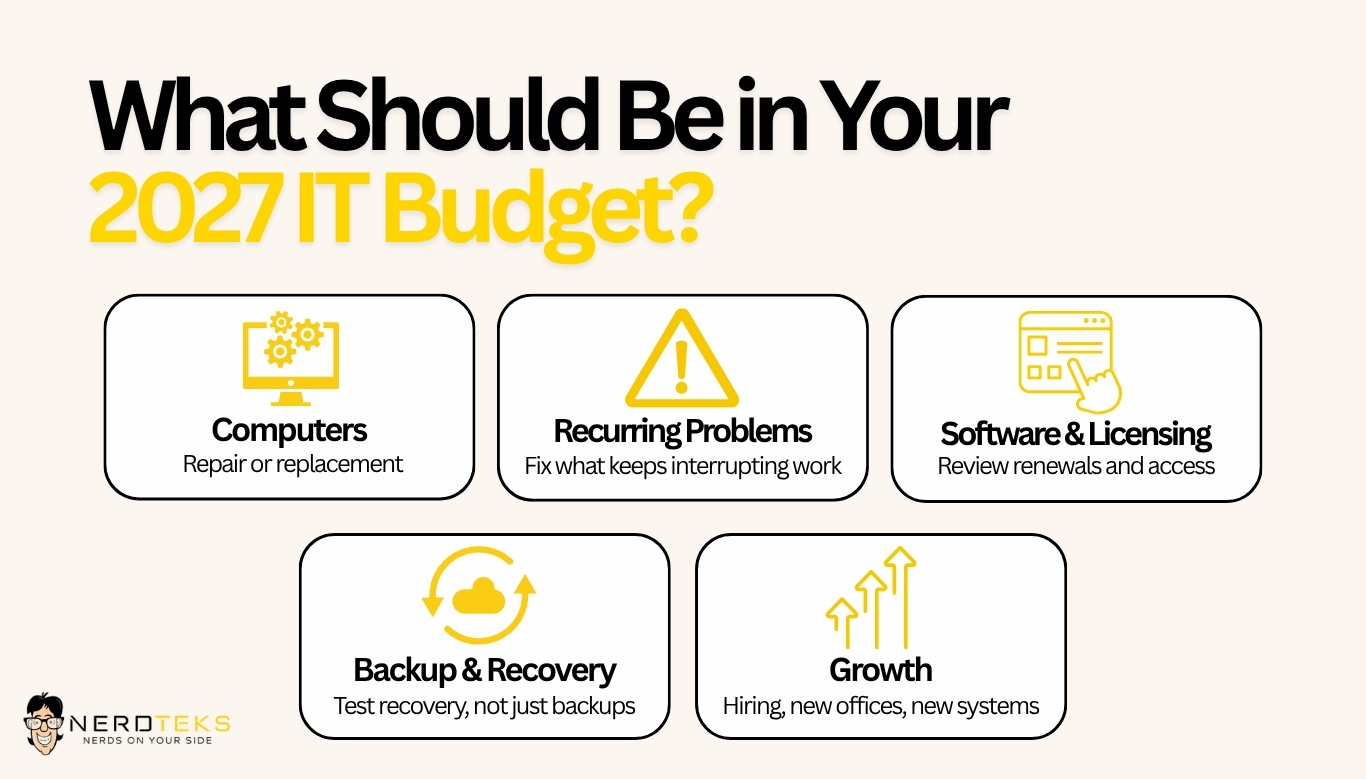
4. Have Your Backups Been Tested for Recovery?
Seeing a successful backup notification can be reassuring. But backup storage is only one part of recovery planning.
The more important question is:
Can your business restore the information and systems it depends on when something goes wrong?
A completed backup job does not tell you how long recovery will take, whether every important system is included, or whether the recovery process has ever been tested. Before setting your 2027 budget, discuss recovery with your IT provider. Ask:
- What systems and data are currently protected?
- When was a controlled restore last tested?
- What did that test demonstrate?
- Were any gaps identified?
- Which systems would need to return first after a major disruption?
- Who would coordinate recovery?
This conversation should also connect to the broader cybersecurity discussion.
Backups, access controls, software updates, employee awareness, account security, and recovery planning all play different roles in helping a business respond to technology problems and security incidents.
Budget Next Step
Budget for recovery planning, testing, documentation, and identified improvements, not just backup software or storage.
A backup strategy should help answer how the business gets back to work, not simply whether files were copied somewhere.
5. Will Business Changes Create New IT Requirements?
Some of the biggest technology expenses do not begin as IT projects. They begin as business decisions.
Hiring employees, opening another location, moving offices, introducing new software, expanding remote work, or changing how teams collaborate can all create new technology requirements.
For example, hiring one employee may involve more than purchasing a laptop. That employee may also need software licensing, approved access to company systems, security tools, accessories, account configuration, onboarding assistance, and training. An office move can be even more involved.
Internet service may need to be ordered well in advance. Data cabling may need to be installed. Wi-Fi coverage should be planned. Network equipment may need to be relocated or replaced. Phones, printers, conference rooms, and other systems need time for setup and testing before employees arrive.
Bringing IT into these conversations early can help reduce avoidable last-minute expenses and delays.
Budget Next Step
Estimate the complete technology cost of planned business changes. Include:
- Equipment
- Implementation
- Software and licensing
- Recurring charges
- Training
- Support
- Transition costs
Looking at the complete cost makes it easier to plan realistically instead of discovering additional expenses after the project has already started.
Turn Your Answers Into a Practical IT Plan
Once you have worked through the five questions, organize your findings into a simple plan. Not everything needs to happen at once. A practical approach is to separate priorities into three groups.
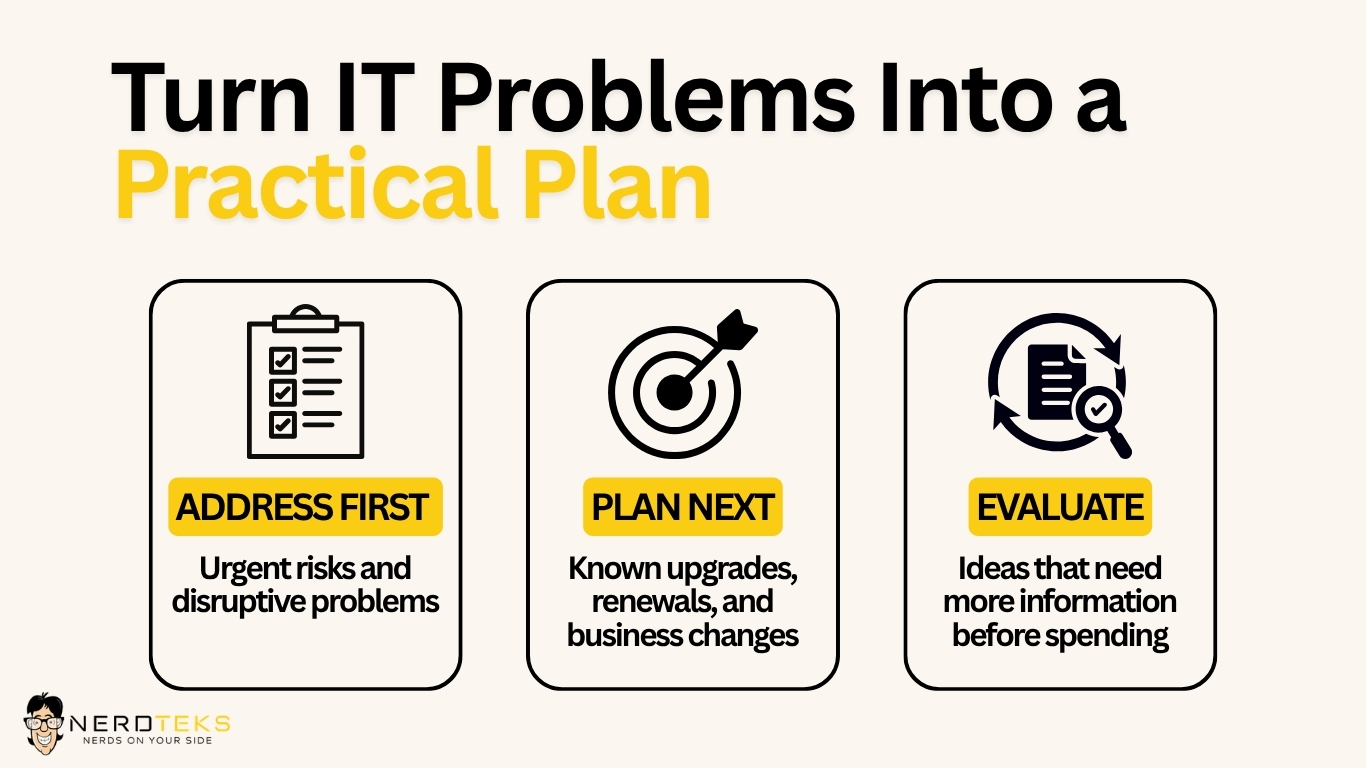
Address First
These are confirmed risks that need prompt attention or problems already disrupting important work.
Examples might include failed backups, unsupported systems, serious performance issues, security concerns, or recurring network problems affecting employees.
Plan Next
These are known expenses or changes that should be prepared for in advance.
This may include equipment replacements, software renewals, hiring, office moves, network upgrades, or upcoming projects.
Evaluate
These are possible improvements that still need more information before money is committed.
For example, employees may report slow Wi-Fi, but the business may need testing before deciding whether the solution is new access points, cabling, configuration changes, or something else.
For each priority, record the business impact, responsible person, estimated cost, and proposed timing.
It is also helpful to separate one-time project costs from ongoing monthly or annual expenses and identify any dependencies before setting dates.
Not Every IT Need Requires the Same Kind of Support
One reason IT budgets can become confusing is that businesses sometimes treat every technology need the same way. Some problems require a one-time repair. Others require a defined project. Some are better handled through ongoing managed IT services.
Replacing a failed workstation, for example, is different from managing Microsoft 365, monitoring backups, supporting employees, maintaining cybersecurity controls, or planning technology improvements throughout the year.
Understanding the type of support required can help create a more accurate budget and make it easier to separate routine operating costs from larger projects.
Start 2027 With Clearer IT Priorities
A practical IT budget is not about buying the newest equipment or replacing everything at once.
It is about understanding what your team needs, addressing meaningful risks, preparing for business changes, and making informed decisions before technology problems become urgent.
Nerd Teks helps businesses with everyday IT support, managed IT services, Microsoft 365, networking, cybersecurity, backup and recovery, and technology planning.
Need Help Planning Your 2027 IT Priorities?
If you are reviewing your technology budget for the year ahead, Nerd Teks can help evaluate your current environment, identify priorities, and determine practical next steps.
Contact Nerd Teks:
https://nerdteks.com/contact/
Latest Insights








Latest Posts