
Before the Holiday Break: 5 IT Checks for Your Business
Holiday schedules can leave businesses operating with fewer people in the office, employees working remotely, and key staff unavailable when something goes wrong.
Before your team starts taking time off, a short technology handoff can prevent an IT problem from turning into a scramble to figure out who has access, who should be contacted, or who is responsible for making a decision.
You do not need a complicated disaster recovery exercise. Start by confirming these five things.
1. Confirm Your IT Support Coverage
Make sure the people who may be working during the holiday period know how to contact your IT provider. Document:
- Normal support hours
- The correct support phone number or email
- How urgent issues should be escalated
- Who the backup contact is
- Who within your company is authorized to approve work or additional charges
Do not assume employees know the process simply because the information exists somewhere in an old email or onboarding document. A short, current contact list can save valuable time when someone is trying to resolve an outage or security issue with fewer people available.
2. Test Approved Remote Access Before Employees Leave
If employees will work remotely while traveling or during the holiday period, test remote access before they leave the office.
Confirm that company-managed laptops can connect to the applications and files employees will need. Verify that multifactor authentication is working and that users know how to complete the sign-in process from their approved devices. This is also a good time to address expired passwords, VPN problems, missing applications, or account-access issues.
Avoid solving coverage problems by sharing passwords or allowing employees to use someone else’s account while that person is away. Individual accounts and approved access methods make it easier to protect business information and understand who accessed company systems. A five-minute test before someone leaves is much easier than troubleshooting access from an airport, hotel, or family gathering.
3. Assign Backup Owners for Important Responsibilities
Technology coverage is not only an IT issue. Think about the business processes that normally depend on one specific person.
Who will:
- Review important system or security alerts?
- Respond to urgent customer or vendor requests?
- Approve an IT support decision?
- Monitor shared mailboxes or essential communications?
- Handle a critical application problem?
- Coordinate with your IT provider if something stops working?
Assign a backup person before the primary employee leaves. The goal is not to give everyone administrative access. It is to make sure responsibilities have a clear owner and that the designated person has the appropriate access to perform that role.
4. Review Backup and Recovery Readiness
Before a period of reduced staffing, check whether recent backups are completing successfully and whether any unresolved failures need attention. At minimum, confirm:
- Critical systems and data are included in your backup plan
- Recent backup jobs are completing as expected
- Failed or missed backups have been investigated
- Someone knows who to contact if recovery is required
- Recovery instructions and important contacts are available
A successful backup notification is useful, but businesses should also understand how recovery would work if files, applications, or systems became unavailable. For a deeper review, use Nerd Teks’ Business Backup & Recovery Checklist to evaluate backup coverage, recovery responsibilities, restore testing, and other recovery considerations.
5. Leave a Short IT Outage Plan
Your holiday handoff does not need to become a 30-page emergency manual. Create a simple document that identifies:
- Your most critical business systems
- IT provider contact information
- Internet and phone provider contacts
- Who has authority to make decisions
- Who should communicate with employees
- An alternative communication method if company email is unavailable
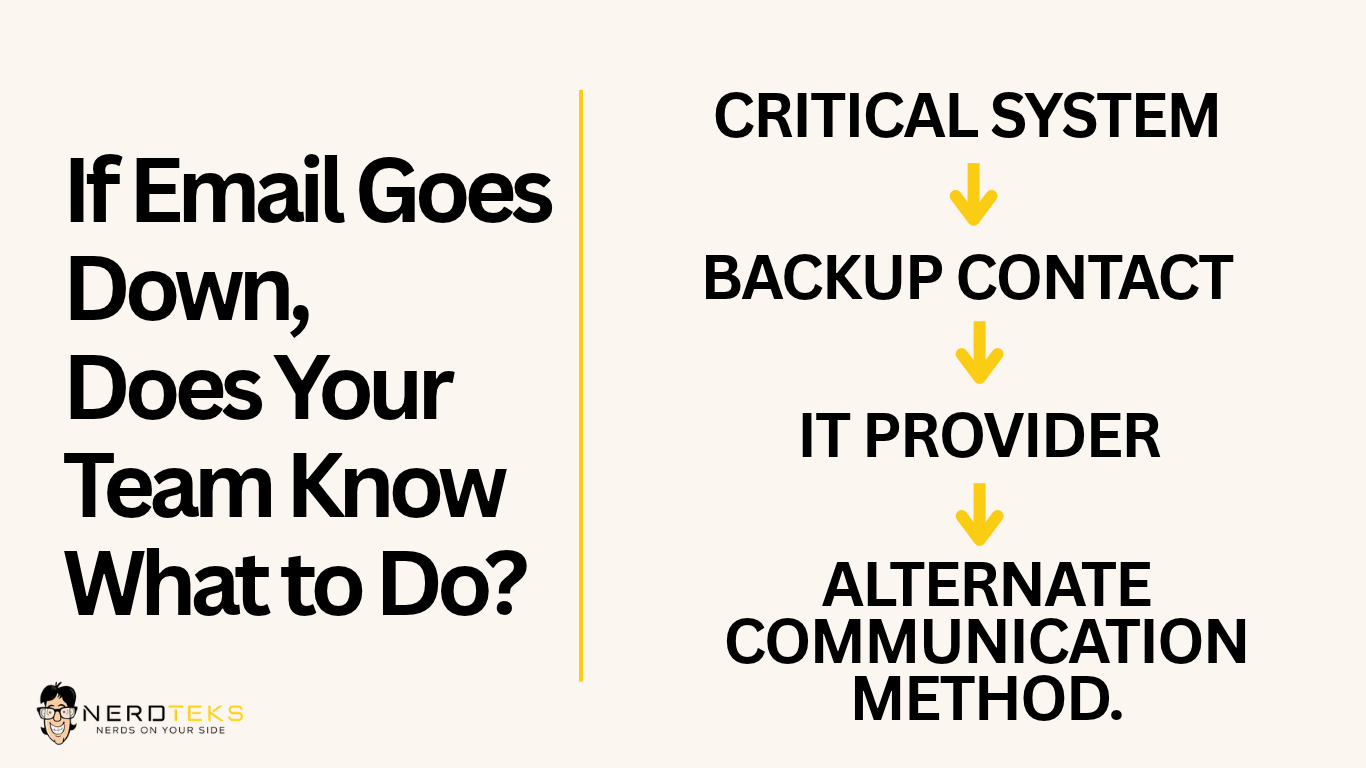
The purpose is to tell people what to do and who to contact, not to create a file containing the keys to your network.
Keep the document somewhere authorized staff can access even if a primary system is down. Do not include passwords, MFA codes, administrator credentials, recovery keys, or other sensitive authentication information in the document.
A Little Preparation Can Prevent a Lot of Confusion
Most businesses do not completely shut down when employees take holiday time. Someone is still checking email, handling customers, processing transactions, monitoring systems, or trying to finish work before the end of the year. That makes a simple technology handoff worthwhile.
Before employees leave, confirm your support contacts, test remote access, assign backup responsibilities, review backup status, and make sure the people still working know what to do if an important system becomes unavailable.
You do not need to plan for every possible scenario. You do need to make sure an unexpected IT problem does not leave everyone asking:
“Who handles this?”
Need Help Preparing Your Business IT for the Holiday Break?
Need help preparing your business technology for holiday staffing changes? Nerd Teks can help review your IT support process, remote access, backup readiness, network reliability, and other technology concerns before your team heads out.
Latest Insights








Latest Posts