

7 Signs Your Business Network Needs Professional IT Support
Your business network should make work easier, not create daily interruptions.
When employees cannot access files, Wi-Fi drops during meetings, printers repeatedly disconnect, or important systems slow down without warning, the problem may be more than a one-time technical glitch. Ongoing network issues can affect productivity, customer service, cybersecurity, and your ability to keep the business running.
Here are seven signs your network may need professional IT support.
1. Your Internet or Wi-Fi Is Consistently Slow
A slow connection is not always caused by your internet provider. Business network performance can also be affected by outdated equipment, poor wireless access-point placement, overloaded networks, incorrect settings, or too many devices competing for bandwidth.
Common warning signs include:
- Video calls freezing or disconnecting
- Slow cloud applications
- Delayed access to shared files
- Weak Wi-Fi in certain areas
- Printers, phones, or point-of-sale systems losing connectivity
A professional IT provider can review your network equipment, wireless coverage, cabling, configuration, and traffic patterns to identify the actual bottleneck instead of repeatedly applying temporary fixes.
2. Employees Regularly Lose Time to Connection Problems
Occasional technical issues happen. Repeated interruptions are different.
When employees constantly reconnect to Wi-Fi, restart devices, lose access to network drives, or ask for help with printers and shared folders, those disruptions quickly add up.
The business impact may include:
- Lost employee productivity
- Delayed customer responses
- Missed deadlines
- Incomplete work
- Risky workarounds using personal email or unapproved file-sharing tools
Professional IT support can identify recurring patterns, document the environment, and improve network reliability.
3. You Do Not Know What Is Connected to Your Network
Growing businesses often add technology over time without maintaining a complete inventory.
Your network may include:
- Computers and mobile devices
- Printers and scanners
- Security cameras
- Servers
- Network switches
- Wireless access points
- Conference-room equipment
- Phones and smart devices
It is a warning sign when no one can clearly answer questions such as:
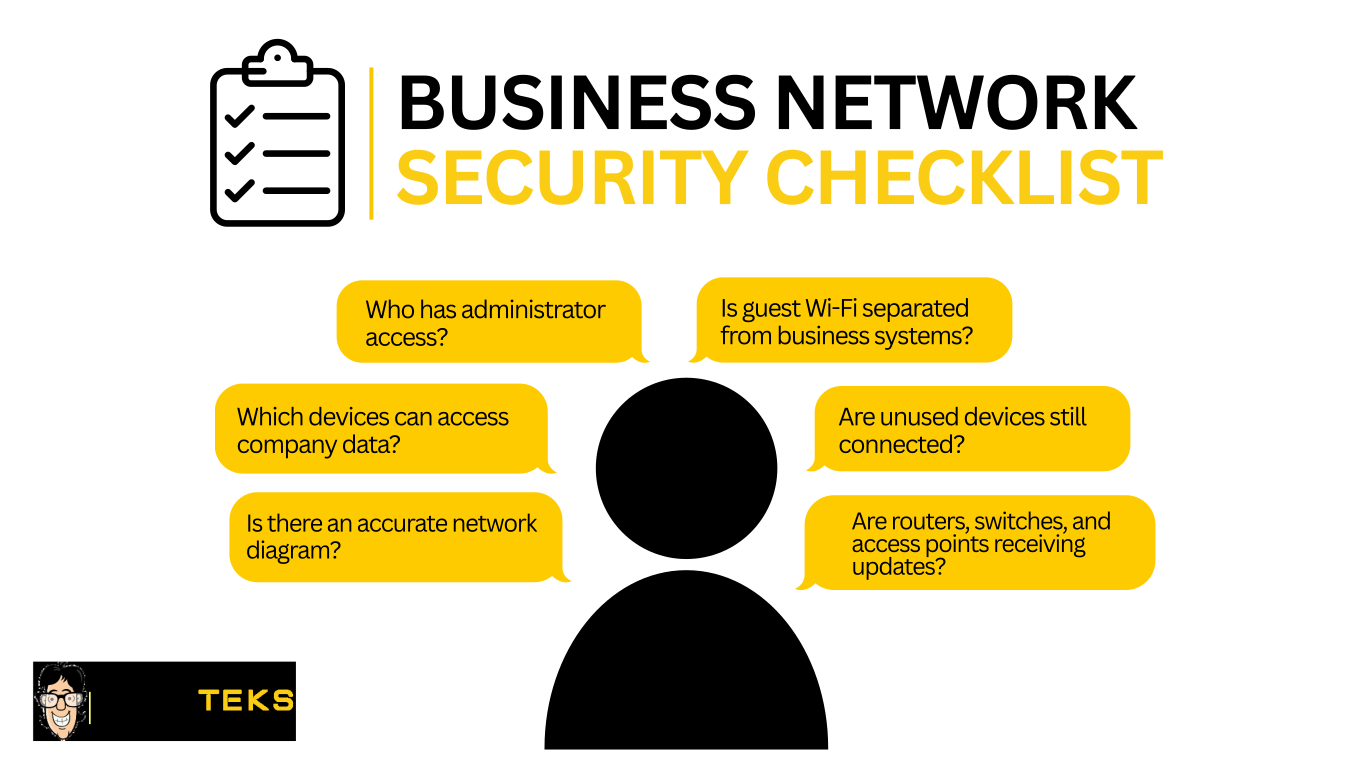
A documented device inventory makes troubleshooting faster and helps reduce security blind spots.
4. Your Network Security Is Based on Assumptions
Cybersecurity requires more than antivirus software.
An improperly configured network can make it easier for attackers to access sensitive information, spread malware, or interrupt business operations.
Professional network support can help review safeguards such as:
- Secure Wi-Fi configuration
- Strong password policies
- Firewall rules
- Network segmentation
- Staff and guest network separation
- Device updates and patching
- Access controls
- Backup and recovery planning
- Monitoring for suspicious activity
These protections are especially important for businesses handling financial records, legal files, healthcare information, customer data, or confidential project documents.
5. You Only Call for IT Help After Something Breaks
Break-fix IT support can help resolve an urgent problem, but it does not always prevent the next one.
When technology is only reviewed after an outage, security incident, hardware failure, or major slowdown, underlying risks may remain unnoticed.
Proactive IT support can help businesses:
- Monitor critical systems
- Apply software and security updates
- Review network performance
- Maintain documentation
- Identify aging equipment
- Address risks before they cause downtime
A managed IT approach is often a better fit for businesses that want consistent support and clearer responsibility for their technology. Learn more about Nerd Teks’ managed IT services.
6. Your Backups Have Never Been Tested
A backup is useful only when the data can be restored successfully.
Businesses should know:
- What information is being backed up
- How often backups run
- Where backup copies are stored
- Who can access them
- How long recovery may take
- Whether a restore has been tested
Visit Nerd Teks’ backup solutions page to learn what to consider when building a business backup and recovery plan.
Ransomware, accidental deletion, hardware failure, and network outages can all interrupt access to important information. Testing the recovery process helps confirm that backups are working before the business faces an actual emergency.
7. Your Business Is Growing, Moving, or Adding Technology
Growth often exposes weaknesses in an existing network.
Adding employees, moving offices, expanding into another suite, adopting cloud software, installing cameras, switching to VoIP phones, or upgrading conference rooms can place additional demands on your infrastructure.
Before making a major change, review whether your current environment can support it.
Important areas may include:
- Internet bandwidth
- Network cabling
- Firewall capacity
- Wireless coverage
- Network switches
- Remote access
- Cloud applications
- Security requirements
- Backup capacity
Planning before the change is usually less expensive and disruptive than discovering network limitations after new employees or equipment are already in place.
When Should You Contact an IT Provider?
One isolated problem may not mean your entire network needs to be replaced. However, repeated interruptions, unclear security responsibilities, untested backups, and missing documentation are signs that the environment should be reviewed.
A professional network assessment can help identify:
- Performance problems
- Security gaps
- Aging equipment
- Coverage issues
- Configuration errors
- Backup weaknesses
- Opportunities to improve reliability
The goal is not to replace equipment unnecessarily. It is to understand what is causing the problems and create a practical plan to support the business.
Get Professional Network Support from Nerd Teks
CONTACT US TODAY
Latest Insights








Latest Posts