
How to Switch IT Providers Without Disrupting Your Business
Changing IT providers can feel risky when your current company manages Microsoft 365, administrator accounts, backups, cybersecurity tools, servers, firewalls, and other critical systems.
Many businesses postpone making a change because they worry about downtime, lost passwords, interrupted service, or an uncooperative outgoing provider. However, staying with an IT company that is unresponsive, disorganized, or unable to support your growth can create even greater risk.
With the right transition plan, your business can change IT providers while protecting access, maintaining business continuity, and giving employees a clearer place to turn when technology problems occur.
Signs It May Be Time to Change IT Providers
One delayed response does not necessarily mean you need a new IT company. Repeated problems are different. It may be time to consider another provider when:
- Technical issues keep returning without a permanent solution
- Response times and communication are inconsistent
- Network and system documentation is missing
- Backups, cybersecurity, or administrative access are unclear
- Recommendations and charges are poorly explained
- One outside technician controls all critical accounts
A dependable IT partner should do more than repair computers. The provider should understand your business, document the environment, protect access, support employees, and help plan for future technology needs.
Plan the Transition Before Canceling Your Current Provider
Do not end your existing IT agreement before confirming who controls your technology. Your current provider may manage your domain, Microsoft 365 tenant, firewall, cloud services, backup platform, antivirus software, phone system, website hosting, or software subscriptions.
A dependable IT partner should do more than repair computers. The provider should understand your business, document the environment, protect access, support employees, and help plan for future technology needs.
Choose the replacement provider first and create a transition plan. The incoming IT company should identify the accounts, systems, vendors, and credentials that must be transferred before the outgoing provider’s access is removed. This helps prevent a situation where the old provider is gone but nobody can access an essential account.
Confirm That Your Business Owns Its Accounts
Your business should retain ownership of its critical technology accounts, even when an outside company manages them. Confirm company-controlled access to:
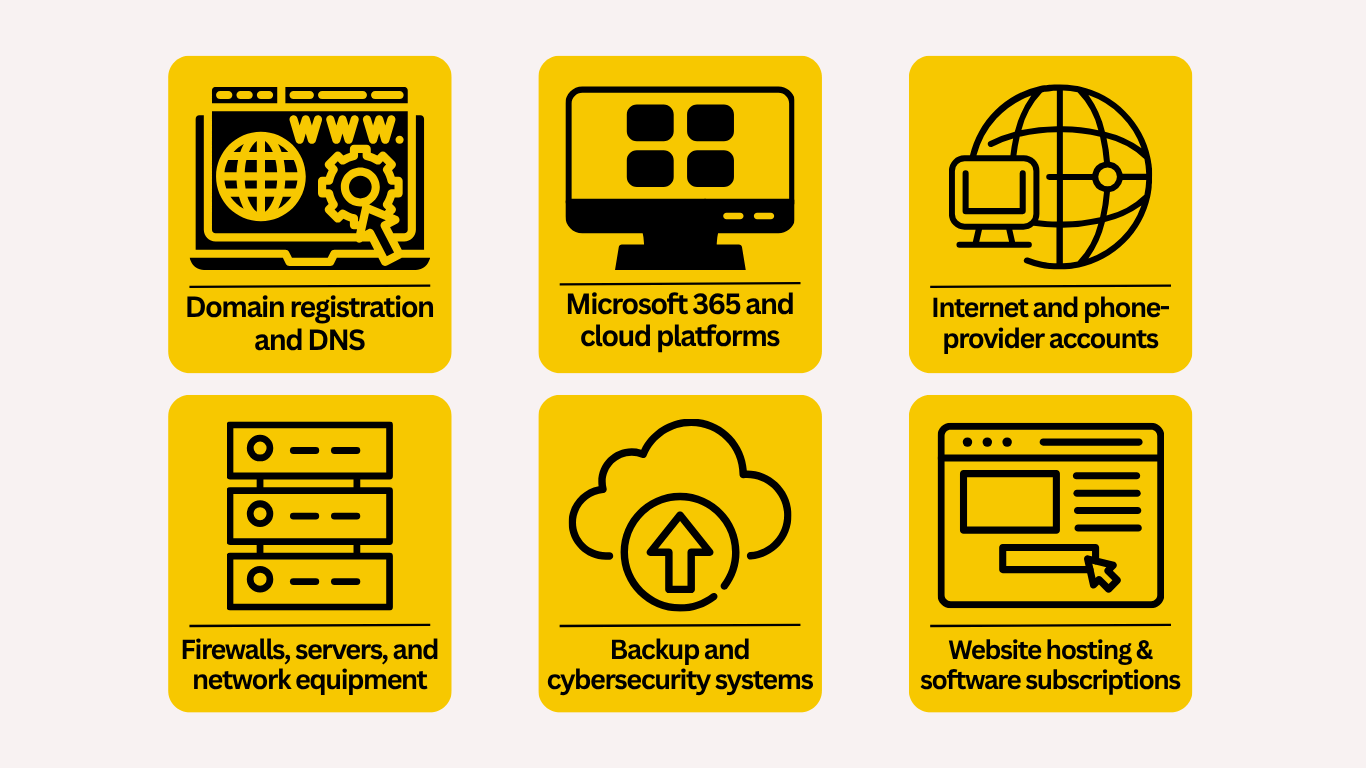
Administrator access should not depend on one technician’s personal email address or an account your business cannot recover. During the transition, the new provider should review administrative roles, establish secure company-controlled accounts, enable multi-factor authentication, and remove access that is no longer required.
Verify Backups Before Making Major Changes
Backup and disaster recovery should be reviewed before passwords are changed, software is removed, or systems are reconfigured.
The incoming provider should confirm what data is protected, how often backups run, where copies are stored, and whether restoration has been tested. This review may include servers, workstations, business files, cloud applications, and Microsoft 365 data.
A backup that has never been restored is only an assumption. Testing the recovery process provides greater confidence that important information can be recovered after ransomware, hardware failure, accidental deletion, or another major disruption. Learn more about Nerd Teks’ business backup and disaster recovery solutions.
Document the Existing Technology Environment
Good documentation makes an IT provider transition faster and less disruptive. The new provider should understand your users, computers, servers, network equipment, applications, vendors, security tools, internet connections, and known technical problems.
Important documentation may include:
- Equipment and software inventories
- Network diagrams and IP information
- Administrator and vendor accounts
- Backup and security details
- Software licenses and renewal dates
- Existing problems and planned projects
Incomplete documentation does not mean the transition cannot happen. It means the incoming provider may need to perform additional discovery and create the missing records. The goal is to keep the business from depending on one person’s memory to operate its technology.
Replace Old IT Tools in the Right Order
The outgoing provider may have installed remote-monitoring software, antivirus tools, backup agents, scripts, administrative accounts, and remote-access applications. Those tools should not all be removed at once.
The new provider should first determine what each tool does, install and test any replacements, and then remove the former provider’s access in a controlled order. Removing everything too early can create gaps in monitoring, cybersecurity, backup protection, or remote support. A structured transition prevents one problem from being replaced by another.
Give Employees a Clear Support Process
Employees should know how to request help as soon as the new provider takes over. The transition plan should explain:
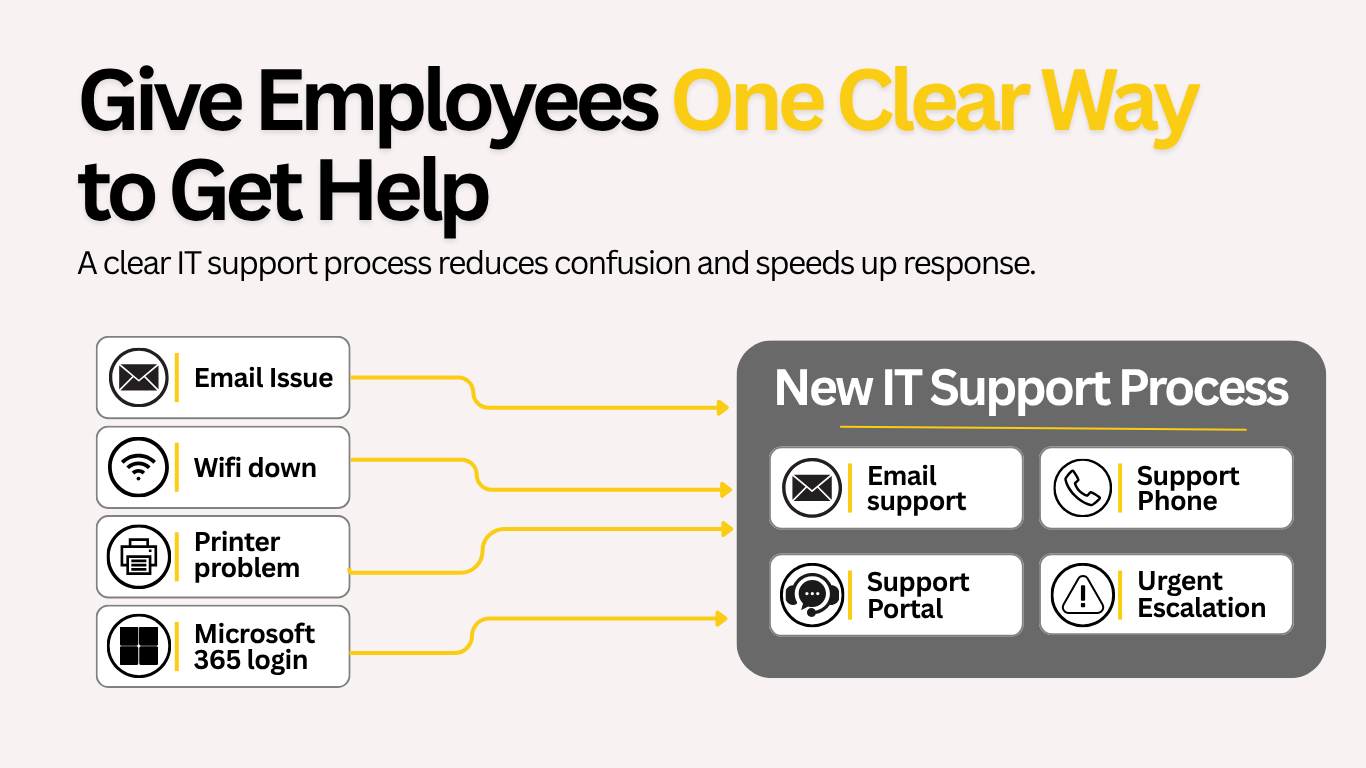
- Which email address, phone number, or portal to use
- How urgent issues are escalated
- What new support software may appear
- Who employees should contact during the transition
A successful onboarding process should make support simpler. Employees should not be left wondering which IT company or vendor is responsible for the problem. Nerd Teks provides responsive remote and onsite business IT support for computers, Microsoft 365, networks, Wi-Fi, servers, printers, and other day-to-day technology issues.
Review Cybersecurity During the Transition
Changing IT providers is a good opportunity to identify security problems that may have been overlooked. The incoming provider should review administrator permissions, multi-factor authentication, endpoint protection, email security, software updates, remote access, firewall settings, backups, and inactive employee accounts.
Former vendor access should be removed, shared credentials should be replaced, and unused accounts should be disabled. Businesses handling legal, healthcare, financial, or confidential client information may also require stronger access controls, encryption, documentation, and monitoring to support their compliance responsibilities.
What Should Managed IT Onboarding Include?
Professional managed IT onboarding should involve more than installing software on company computers. The provider should review the environment, confirm access, inventory devices, evaluate the network, verify backups, assess cybersecurity, document critical systems, and identify urgent risks.
After onboarding, the business should receive a practical priority plan covering:
- Immediate technical and security concerns
- Aging or unsupported equipment
- Licensing and account issues
- Network and Wi-Fi problems
- Recommended long-term improvements
For businesses that need continuous monitoring, employee support, cybersecurity, Microsoft 365 management, backups, and technology planning, managed IT services can provide clearer ownership and more predictable support.
Questions to Ask a New IT Provider
Before choosing a replacement, ask how the company handles transitions and protects business access. Important questions include:





A trustworthy provider should not make it difficult for your business to retain control of its own technology.
Ready to Change IT Providers?
Switching IT companies does not have to cause downtime, lost access, or confusion.
Nerd Teks helps small and growing businesses across Central and South Florida assess their technology, secure administrative access, verify backups, document critical systems, improve cybersecurity, and transition to a clearer support structure.
Whether your organization needs responsive IT support or a complete managed IT services plan, the first step is understanding your current environment and identifying the risks that must be addressed.
Request an IT transition assessment:
Contact Nerd Teks
Explore managed IT and cybersecurity pricing:
Build an initial estimate
Latest Insights






Latest Posts